Learn a language from real videos com.lingosub.app

Turn the videos you love into
interactive language lessons.

Paste any video link and LingoSub builds three-tier bilingual subtitles: the original script with pinyin, the Sino-Vietnamese reading and a Vietnamese translation. It adds contextual word lookup, word-level timing, scored shadowing practice and spaced-repetition flashcards.

Takes video from the platforms you already use

  • YouTube
  • Douyin
  • Bilibili
  • TikTok
  • Files on your phone
Live demo

A working simulation of the LingoSub player

Tap any Chinese word below to see the dictionary lookup, or press Shadowing to see how a scored attempt looks.

LingoSub Player
Video ID: #zh-street-vlog-09
Bilingual playback
YouTube 1080p
🔊 80% ⇄ A-B loop 1.0x ▾
01:28 / 03:45

Bilingual transcript

ZH → VI
Tap a Chinese word to look it up
Now playing • 01:28
jīntiān tiānqì hěn hǎo , wǒ fēicháng xǐhuan zhège wèidào
今天 天气 很好 , 我 非常 喜欢 这个 味道

“The weather is lovely today, I really like this flavour.”

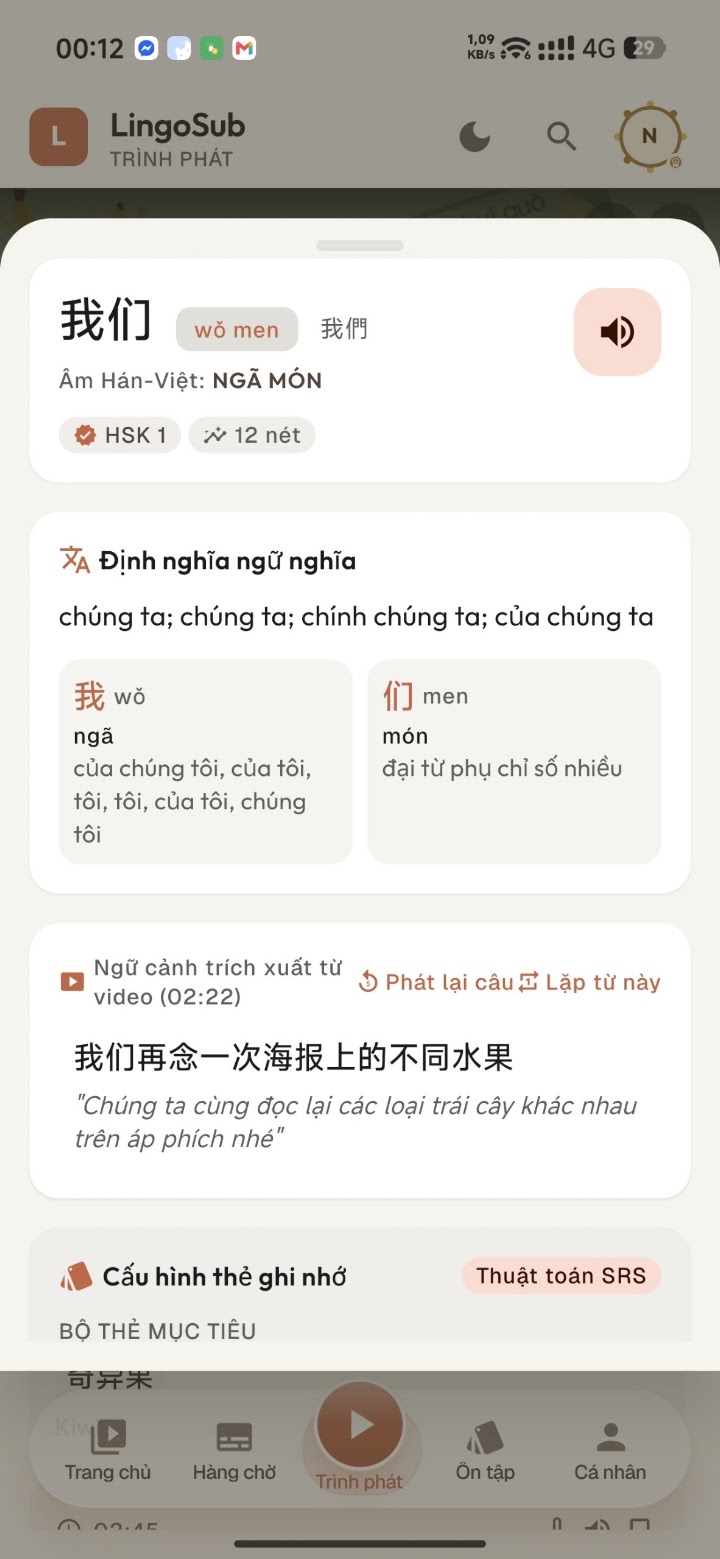
喜欢 xǐhuan HSK 1
Sino-Vietnamese reading: HỶ HOAN

In context: to like, to be fond of.

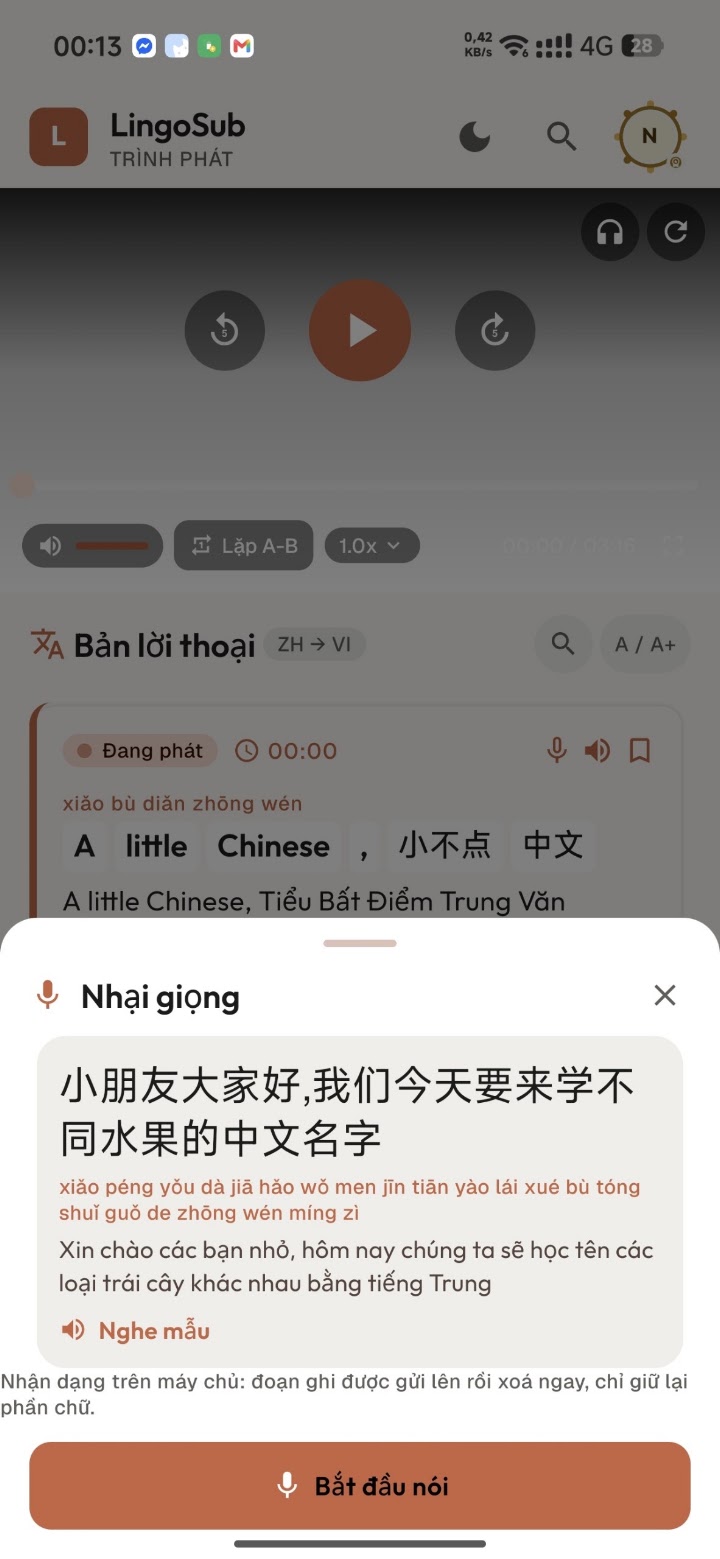
Shadowing
Press the mic to see an example: “今天天气很好…”
✓ jīntiān (100%) ✓ tiānqì (96%) ✓ hěn hǎo (92%) ✓ fēicháng (95%) ✓ xǐhuan (90%)

Where your phone has a speech pack installed, the line you read is recognised on the device. When it does not, the clip is uploaded so our server can transcribe it and is deleted inside the same request — only the text is kept. See the privacy policy for details.

Learning that holds up

Everything you need to get fluent with a language

Whisper speech recognition combined with spaced repetition, wrapped around the videos you already watch.

Three-tier bilingual subtitles, timed word by word

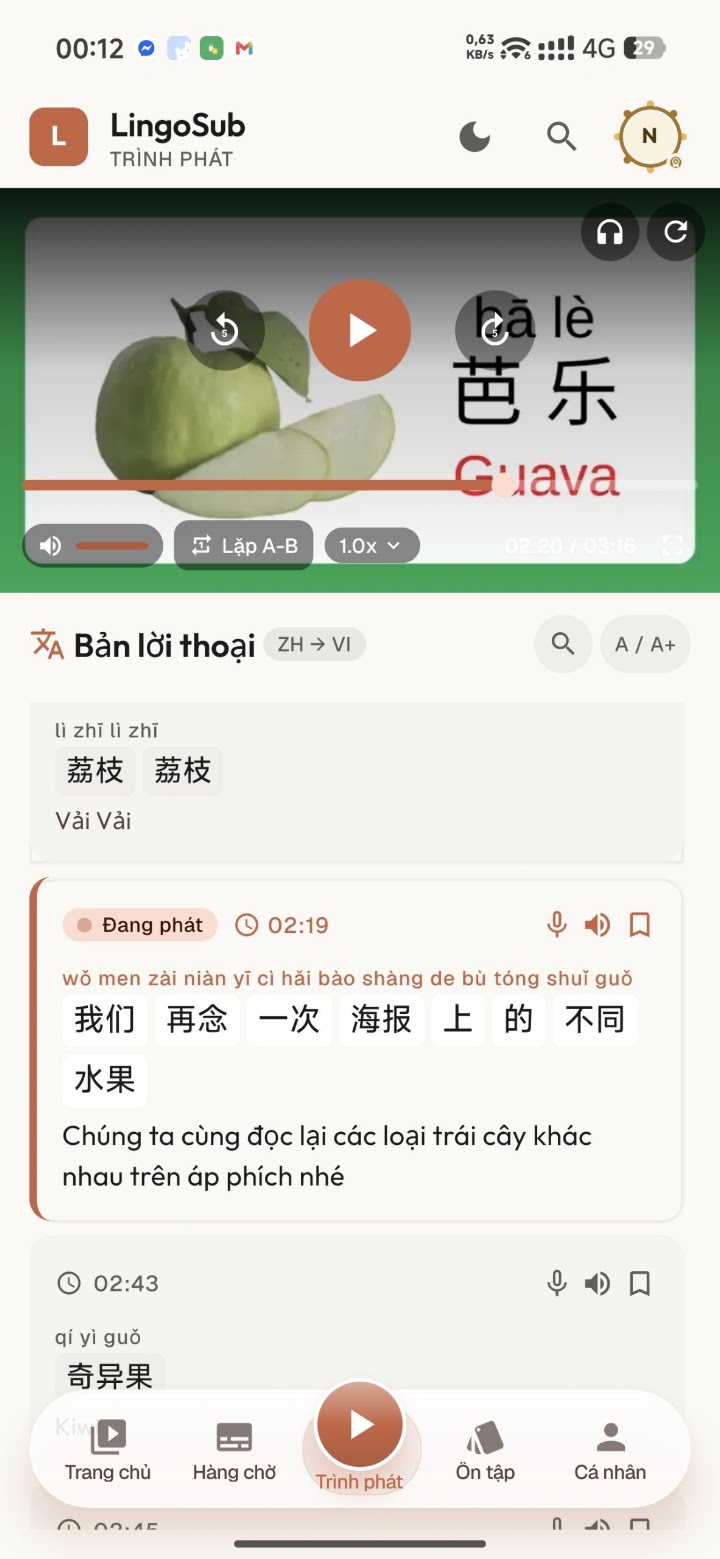
Instead of translating each sentence as a single block, LingoSub synchronises every individual word. The original script, the Pinyin with tone marks, the Sino-Vietnamese reading and a Vietnamese translation appear side by side, matched to what is actually being said.

00:02.140 → 00:03.890
荔枝 Lìzhī (lychee) • 奇异果 Qíyìguǒ (kiwi)
Shadowing practice, scored word by word

Read a line back and get a score for each word. On phones with a speech pack installed the result appears live while you speak; where the pack is missing, the app falls back to recognition on our server automatically.

Recognised on device, with a fallback Scored out of 100

Spaced-repetition flashcards

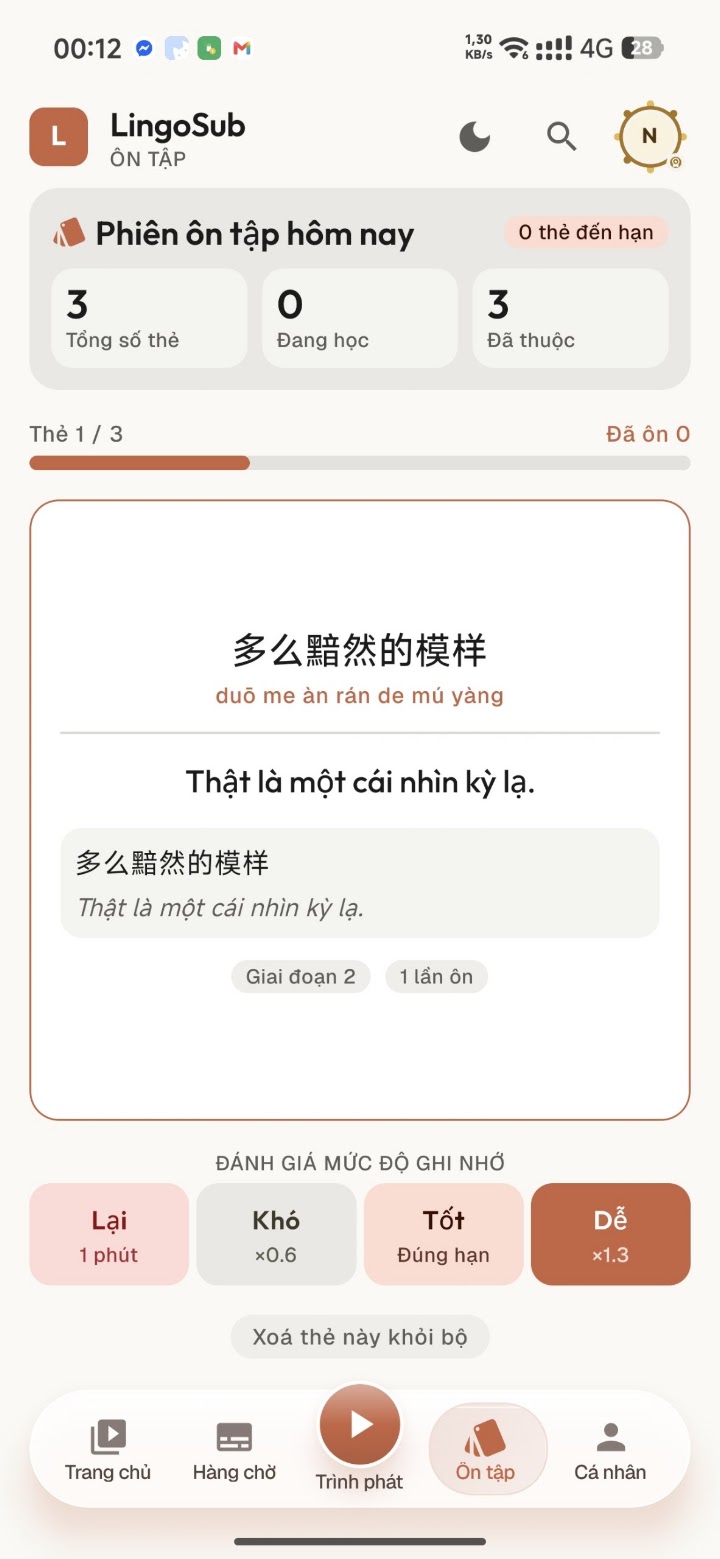
One tap saves a word together with the exact line from the video as its context. The review schedule is recalculated after every rating you give, so the words you struggle with come back sooner and the ones you know drift further out.

Again1 min
Hard×0.6
Goodon time
Easy×1.3

Video from many sources

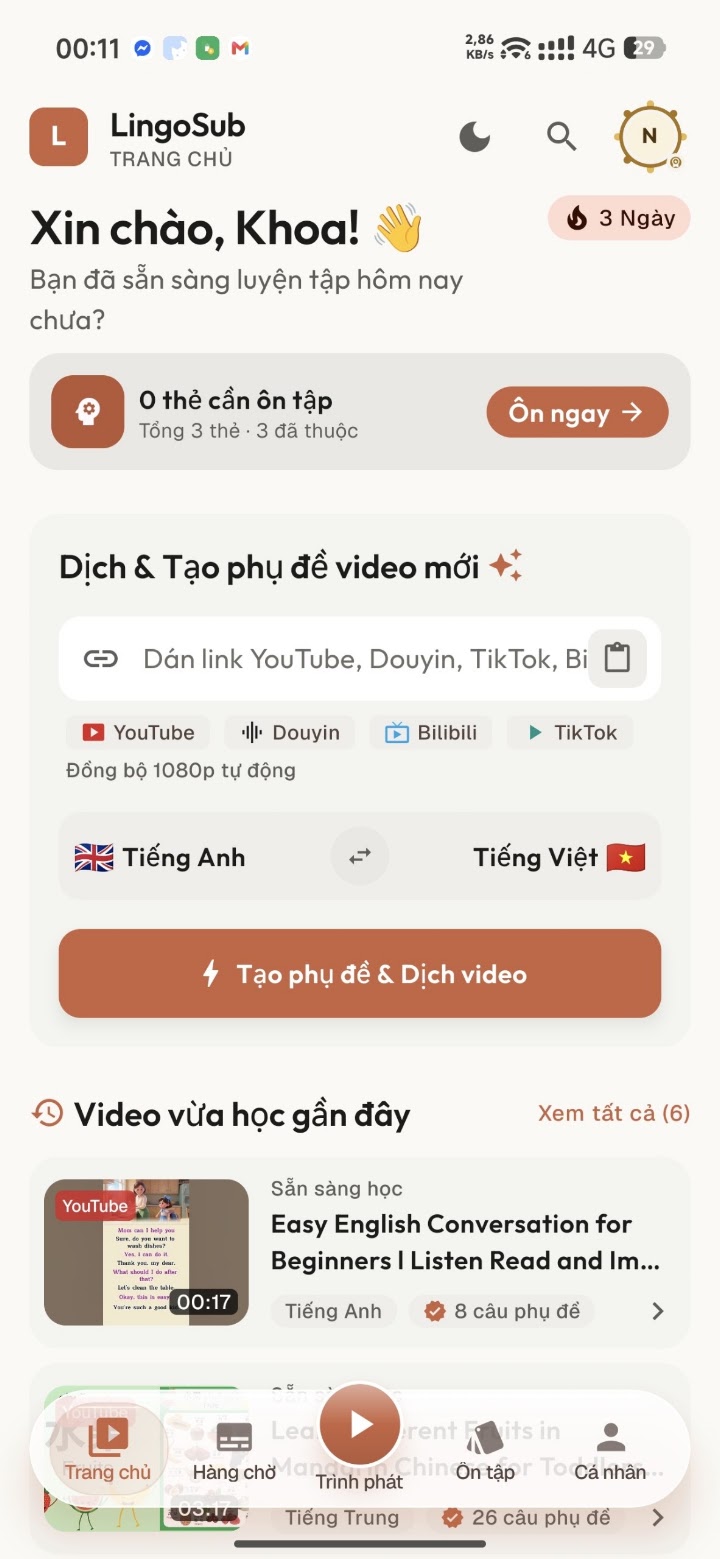
Paste a link from YouTube, Douyin, Bilibili or TikTok, or pick an audio or video file already on your phone. Jobs run through a queue and the app tells you the moment the subtitles are ready to study.

✓ Source language detected automatically Queued processing
The real thing

LingoSub on Android

Captured from the app running on a phone — not mockups.

LingoSub three-tier subtitle player

1. Three-tier subtitle player

Pinyin, Hanzi and a Vietnamese translation

LingoSub shadowing practice sheet

2. Shadowing practice

Record, hear the sample & get a per-word score

Contextual word lookup in LingoSub

3. Contextual word lookup

Sino-Vietnamese reading, HSK level & examples

Spaced-repetition flashcard review in LingoSub

4. Spaced-repetition review

Four ratings: Again · Hard · Good · Easy

LingoSub home screen with a video link box

5. Paste a link & build subtitles

YouTube, Douyin, Bilibili, TikTok

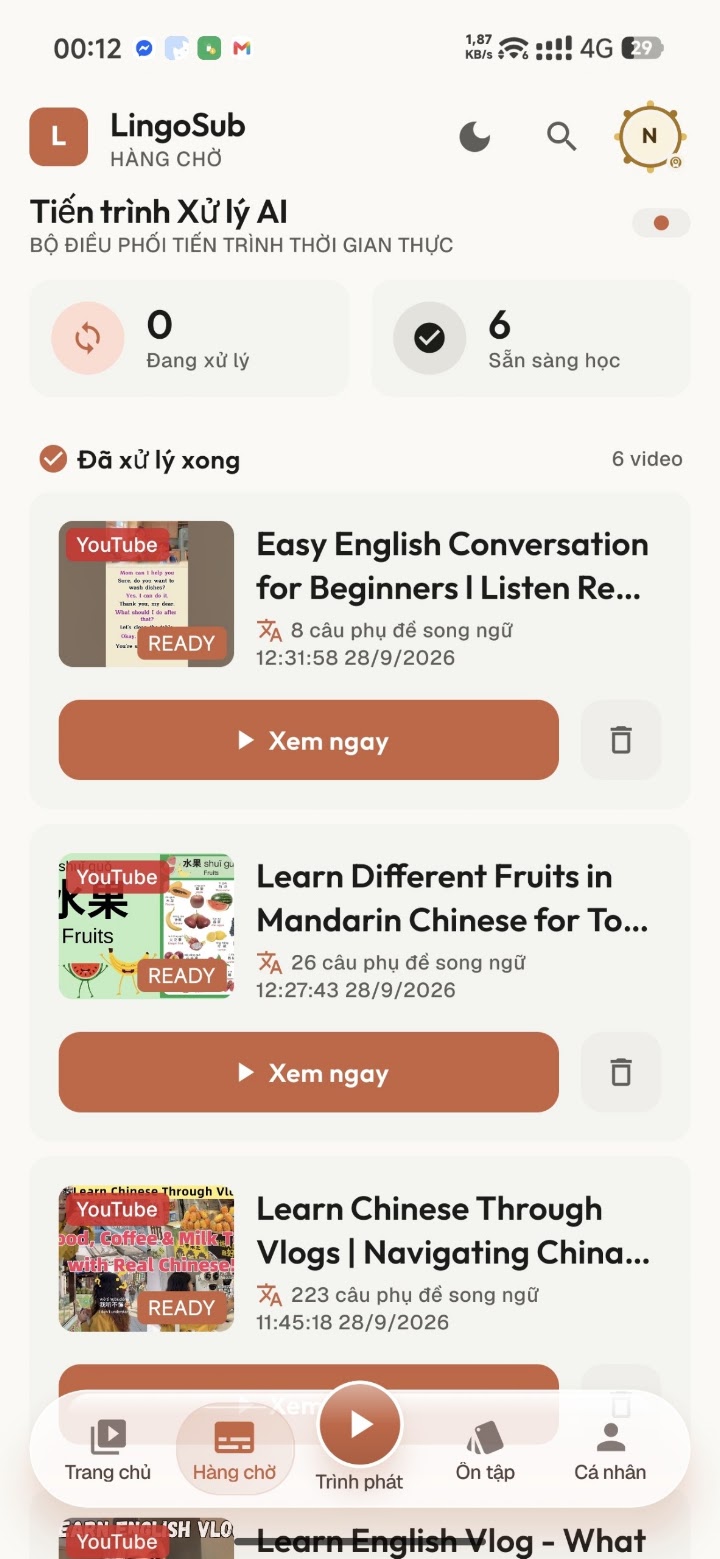
LingoSub processing queue

6. Processing queue

Track videos being processed and finished

Download LingoSub for Android

Package ID: com.lingosub.app

Release v2.8.24
Size: 46.6 MB
Download LingoSub_v2.8.24.apk

SHA-256: 6a629f5722b5…5757a8d3 • Requires Android 8.0 or newer

Installing takes three steps

01
Download the APK

Press the button above to pull the APK onto your Android phone.

02
Allow the install

When Android asks, allow “Install unknown apps” for the browser you downloaded with.

03
Stay up to date

After the first install the app checks for and applies smaller updates through its own update channel.